Discovery is the only way to keep living. Join me as I explore what's new, both online and offline. I observe. I post. I think. I share. And I welcome you to do the same.
The Client-Agency relationship has always baffled me. When I started in advertising, I was taught that the best relationship between Client and Agency is one of partnership -- The Agency cares about hte Client's business so he helps it to grow, at the same time, the Client helps the Agency to grow as a business. Mutually-beneficial. And so, we at the Agency always strive to bring out the best in this relationship, protect it to death and make some concessions along the way.
But it doesn't work out that way a lot of times. Despite the value the Agency brings to the Client, some Clients take the relationship and turn it around to pull a fast one on the Agency. All because they're the ones holding the money and will get away with it if they can.
Check this video out, purportedly created by Leo Burnett according to Nadja, and see the similarities with how clients negotiate payment for services they've already received or are about to receive:
Why do some clients think this way? Is it because they don't have scrupules to begin with? Is it because they're stupid enough to think this way? Or is it because we let them get away with it?
I'd like to know what you think. Meanwhile, I need to rush to another client meeting. :P
Mashable, has been a great resource for me to know what's new in the online and tech world. They seem to be the quickest to come out with new topic articles with a lot of substance.
In this article from Mashable, they pick-out some of the most promising features of Google Wave and explain why they predict it will change the game online:
1. Wiki-style functionality The feature: While Google Wave works a lot like email or IM, there is a huge difference: you can edit not only your messages, but the messages of anybody within your wave. You can reply to messages within a conversation string and reorganize conversations.
Why it’s game-changing: There was a perfect example of how this changes communication during Google’s demo of the product. A group of people are trying to plan a group dinner, and want to see who can come or not. In email, you have a string of emails with yes or no, which can get messy.
In Wave, you can edit the original message with a section with who can or cannot go. Replies can be made within a conversation string, rather than at the end, making conversations a great deal easier to track.
2. Wave Extensions The feature: Wave extensions are 3rd-party improvements or applications within Google Wave. There are two types: gadgets and robots. Gadgets are just like Facebook (Facebook reviews) applications, so you can run an app like an online game or a project management tool from within Wave. Robots are smart, automated conversation participants. They can detect keywords and respond, bring in outside information from services like Twitter (Twitter reviews), and more.
Why it’s game-changing: It’s game-changing just as the Facebook platform or the Twitter application boom has been paradigm-shifting for both companies. Imagine only needing to have Google Wave open to manage your Facebook, Twitter, project management, email, and even your video games. You can make Google Wave your all-in-one communication tool.
3. Drag-and-drop file uploads The feature: In email, you have to search for files, and then attach them before sending. Then you need to open them up when you actually receive the email. Google Wave ignores that entire process by allowing users to drag files from the desktop and dropping them. Anyone can then see the files as they’re being uploaded. Images are shown in an album format, music can be played, and docs can be quickly shared
Why it’s game-changing: Drag-and-drop file uploads makes Google Wave not only a communication platform, but a useful project management system. Companies could use Google Wave as their communication and file-sharing platform. Combined with Wave Extensions, you could build an entire project management platform and time management system better than anything on the market.
4. Wave Embeds The feature: Wave Embeds is just like what it says - you can embed any wave onto a website. Embeds can be customized and used for a multitude of purposes.
Why it’s game-changing: Embedding is not only an easy way to share conversations with millions of people, but is in fact a way to replace a lot of forms of communication. Instead of a chatroom, you can add a Wave on your company’s website and do customer service through it. Instead of static comments, imagine real-time conversations via Waves. Conversations are easily shared with embeds.
5. Playback The feature: If you’re added to an email conversation late into the game, it can be a pain to parse all of the back-and-forth within an email conversation. With Wave’s playback feature, you can actually see how the entire conversation developed from the start, making it incredibly easy to catch up on conversations.
Why it’s game-changing: Playback clarifies any conversation and makes it simple to get anyone up-to-speed. Instead of “check your email,” it will become “just playback the wave” and you will have all the information that you need. You could get someone up-to-speed within minutes, rather than hours.
6. Open-source The feature: Google Wave is not only extendable, but is an open-source project. This means two big things. First, developers can build their own version of Google Wave. Second, Google Wave can be hosted on your own server - just like an Exchange email server.
Why it’s game-changing: You may not think of open-source as a feature, but this may be the most important aspect of Google Wave. Open-source code fosters innovation by allowing developers to improve and correct code. Developers have the freedom to create a Wave server for their company or to create a branded version of Wave.
Open-source is central to Google’s strategy to foster quick adoption. And if people start using or even switching over to Google Wave, then it could very well be the game-changing communication tool that everyone has been waiting for.
Microsoft Bing launched yesterday with a JWT ad called 'Manifesto'. Here's the ad to start with:
What did you think about the ad? Microsoft says the idea behind 'Manifesto' is to elicit an emotional response about a concept that is decidedly not emotional. It didn't for me. Fail.
What it looked like was a typical US ad -- a montage of people shots, a long running voice-over, and a long explanation on how we should be emotional about Microsoft's new product. Fail. Nothing visceral. All logic.
As Google challenges the norm with it's upcoming Google Wave, Google is challenged by new approaches to search engines.
"Today, search engines do a decent job of helping people navigate the Web and find information, but they don't do a very good job of enabling people to use the information they find," said Microsoft chief executive Steve Ballmer. "When we set out to build Bing, we grounded ourselves in a deep understanding of how people really want to use the Web."
The Microsoft team working on Bing writes on www.decisionengine.com:
We took a new approach to go beyond search to build what we call a decision engine. With a powerful set of intuitive tools on top of a world class search service, Bing will help you make smarter, faster decisions. We included features that deliver the best results, presented in a more organized way to simplify key tasks and help you make important decisions faster.
"Microsoft's Bing will change the face of search," Forrester analyst Shar VanBoskirk said in a blog post, "Bing focuses on delivering answers, not Web pages."
In what is a growing online search trend, Bing delves into websites to summarize what they have to offer in easily scanned preview boxes.
"We are trying to surface functionality right to the top so people don't have to look for it quite so hard," says Whitney Burk, director of communications for Bing.
"They want to give you more information without having to click through to a lot of other sites," said Rosoff, who has used Bing during the past month as part of a Microsoft test program.
"I like it, but I don't think it will get me to switch from Google entirely. They are not naive to the scope of the challenge. They are going to keep throwing money at it for awhile.
Today, AdAge Digital called Bing "a Search Portal, not a Decision Engine," saying that "it's much better categorized as a "search portal." The idea of a search engine is to get you where you want to go fast, based on the queries you enter. The idea of a portal is to give you all the content you need so you don't have to go anywhere else. Bing is a hybrid, a search portal that lets you keep searching and refining your query without ever leaving the site until you absolutely have to."
A lot of skepticism from the community is coming out, but Cnet News, one of the few real hands-on testers came out with a positive review in a blog, "Microsoft Bing: Much Better than Expected."
------------------------------------------
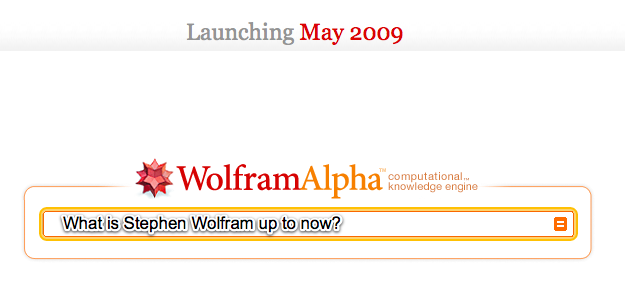
Another challenge to how we do search is Wolfram Alpha, created by Stephen Wolfram.
Wolfram Alpha writes: Today's Wolfram|Alpha is the first step in an ambitious, long-term project to make all systematic knowledge immediately computable by anyone. Wolfram|Alpha's long-term goal is to make all systematic knowledge immediately computable and accessible to everyone. Our goal is to build on the achievements of science and other systematizations of knowledge to provide a single source that can be relied on by everyone for definitive answers to factual queries.
Stephen Wolfram, creator, writes in his blog: "I realized there’s another way: explicitly implement methods and models, as algorithms, and explicitly curate all data so that it is immediately computable. [...] But, OK. Let’s say we succeed in creating a system that knows a lot, and can figure a lot out. How can we interact with it? [...] All one needs to be able to do is to take questions people ask in natural language, and represent them in a precise form that fits into the computations one can do. [...] I think it’s going to be pretty exciting. A new paradigm for using computers and the web. That almost gets us to what people thought computers would be able to do 50 years ago!"
My take on this is that Google will not go away easily. Both Bing & Wolfram Alpha have their unique search purposes that may fit the needs of specific mindset when doing search.
While we wait this out to see how these developments will affect our net lives, my next question is how these developments will change search engine optimization. Do you have any thoughts on this?
Here's a list of links I've put together as reference to those who want to know more about Google Wave and how the websphere is reacting.
I'm not shocked at the mixed reviews, as everyone is entitled to his own opinion. But I'm apalled at the wait-and-see attitude of a lot of people. This is not Microsoft or Apple saying, "Hey, I have a new product that I will sell to the world!" But rather, it's Google saying, "Hey, I have a great idea that will change the world, AND I WANT YOU TO HELP ME MAKE IT HAPPEN."
I still have doubts that Google's intentions are purely altruistic, but I believe this is the future and it's about to begin.
I couldn't sleep. Since I heard about it yesterday, I just couldn't get it off my mind.
Google revealed yesterday what I predict will be the next big thing that will change how the world communicates since the invention of e-mail. It's called Google Wave.
Lars Rasumussen, one of the guys who developed Google Maps, talked about how the idea came about in the Google Wave Developer Preview at Google I/O 2009. This was Google's answer to a fundamental question they posed: What would email look like if it were invented today?
Mashableoffers to explain what Google Wave is in a nutshell: Google Wave is a real-time communication platform. It combines aspects of email, instant messaging, wikis, web chat, social networking, and project management to build one elegant, in-browser communication client. You can bring a group of friends or business partners together to discuss how your day has been or share files.
In a few years, here's what I predict what will happen: No more e-mails. No more instant messenger. No more keeping of different versions of files in your computer folders. Much less face-to-face meetings. People working on documents or files together online real-time, even if they were miles apart or they were just beside you. Social network and blog discussions will look like everyone typing at the same time on the same computer screen. No more reply button to send a message, just type. Lots and lots of online collaboration happening real-time. It's mind blowing.
And it's here. It's not a concept. Google has a work-in-progress already running. But we need to wait until towards the end of this year to experience it. Not too far off.
Below is a screenshot of the Google Wave interface. Mind you, it runs on the browsers that we use today -- both on computers and mobile phones:
Can't wait to see it in action? Here's the demo from the developers conference: (It might take long to load. Everyone's on it.)
I'll write more about it in the next few days. Still trying to calm myself from too much excitement.
This is a repost from the Multiply blog. It details the new features found in the current beta, complete with demo videos:
-----------------------------------
Here's a bit of what you can expect to find in Multiply 4.0:
Redesigned Inbox Multiply's Inbox has always been the best place to find out what the people you know are up to, but with this release, it's become even better. Here's a bit of what's inside:
PMs made clear Personal Messages, by their very nature, are one of the most important types of posts that appear in your Inbox. That's why we've given them their own section: so you can quickly see when you have new ones.
Add/remove content type filters In addition to Personal Messages, you have the option of adding filters for other content types. For instance, if you're a fan of Photos, add a dedicated Photos filter and never miss another album.
Favorite 'Friends & Family' All the latest posts from a very important individual is just a click away. Which of your contacts are the most important is up to you; "Favorite" a contact to shortlist them, or "View All" to do just that.
Groups are great Works just like Friends & Family, but for groups. Pick your favorites and never miss a post.
Flagging important posts If you come across a outstanding Photo Album, thoughtful Blog entry or great Link, make sure to flag it, and come back whenever you want using...
Custom Filters See all of your Flagged or Subscribed posts, things you've posted or replied to... or whatever combination of factors interests you. Save a Custom Filter and it becomes part of the left rail area.
Easy 'Include' Filtering Greatly expand your social circle by enabling 'friends of friends' or 'group' posts... with a single click apiece.
Quick Notes Notes are back, and sharing your thoughts via one is easier than ever. Click Post, start typing, press Enter... and you're done.
Improved Media Locker We didn't forget to make the Media Locker better, too. Read on for ways we've done so.
Now in the top nav We've given the Media Locker its own tab at the top of the page, so wherever you are on Multiply, you're just a quick click from the best media management tools on the Web.
Edit and retouch photos Perfect for making good photos stored on Multiply great photos. Crop, rotate, remove red-eye and more from anything stored in your Media Locker, or shared on your Multiply site! Latest shared photos and videos; projects Right at the forefront of the Media Locker you'll find all of your most recent stuff, including albums you've shared and projects you've recently started. Also included are helpful shop links pointing to our new photo product guides, as well as limited-time offers.
Select-by-dragging If you're getting ready to work with a large number of photos, you can still click thumbnails one at a time to pick individual ones, or 'click-drag' to select a blog of thumbnails in a rectangular area.
Act-by-dragging, too Once you have these selected, instead of clicking a toolbar button ("Album," "Email," etc.), why not try dragging and dropping. Same great effect, cool new motion.
Photo/video flagging The same way you can 'Flag' interesting posts on your Inbox, you can do the same with individual photos and videos that you'd like to come back to, within your Media Locker.
Easy edits of recent things Photo albums and print projects, alike, can be quickly edited with a single click to their title, as it appears in the left rail under "Albums" or "Projects."
Slide-to-resize thumbnails In the upper-right corner of the Media Locker, you'll find a "Thumbnail Size" slider. This will, yes, change the size of the thumbnail images that appear... larger with better detail, and smaller with more efficient use of space.
Send photos via e-mail Want to quickly share your photos outside of Multiply? Select your best and send them to anyone via e-mail using the handy "Email" button.
Other things While a good deal of Multiply's functionality now lives under either the Media Locker or Inbox, there are new things that don't quite belong to either category. We haven't forgotten about these miscellaneous marvels!
New look It is everything a look should be: refined and great! You'll find it pretty much everywhere.
Simplified 'top nav' We reduced the number of links and buttons that appear along the top of all pages on Multiply, in order to focus on the ones that are most important.
Comprehensive "Multiply" menu Clicking the Multiply logo now does something new. Give it a try!
Complete Shop overhaul We've given our Shop section a complete overhaul. It features the same great products, with a sleek new look. It also works better than ever, and includes helpful gift guides that make giving great gifts a snap for any occasion. Contact suggestion Now, when you connect with someone on Multiply, we'll give you the opportunity to help connect your new contact with some of your existing ones. All it takes is a click to suggest that your friend Bob, who already knows your friend Mary, become Multiply contacts as well.
Picasa plugin If you use Picasa to organize photos on your Windows, Mac or Linux computer, posting photos to Multiply just got a lot easier. Install Multiply's Picasa pluginand share photos on your Multiply site from Picasa.
People You May Know Based on the contacts you have, Multiply will recommend other individuals you're most likely to know, and would want to connect with.
Global search box Three useful searches: people, content and groups, are available from one small box, located at the top of any page.