Wednesday, June 3, 2009

Bing & Wolfram Alpha: New Ways to Search


As Google challenges the norm with it's upcoming Google Wave, Google is challenged by new approaches to search engines.

"Today, search engines do a decent job of helping people navigate the Web and find information, but they don't do a very good job of enabling people to use the information they find," said Microsoft chief executive Steve Ballmer. "When we set out to build Bing, we grounded ourselves in a deep understanding of how people really want to use the Web."

The Microsoft team working on Bing writes on www.decisionengine.com:
We took a new approach to go beyond search to build what we call a decision engine. With a powerful set of intuitive tools on top of a world class search service, Bing will help you make smarter, faster decisions. We included features that deliver the best results, presented in a more organized way to simplify key tasks and help you make important decisions faster.

"Microsoft's Bing will change the face of search,"  Forrester analyst Shar VanBoskirk said in a blog post, "Bing focuses on delivering answers, not Web pages."

In what is a growing online search trend, Bing delves into websites to summarize what they have to offer in easily scanned preview boxes.

"We are trying to surface functionality right to the top so people don't have to look for it quite so hard," says Whitney Burk, director of communications for Bing. 

"They want to give you more information without having to click through to a lot of other sites," said Rosoff, who has used Bing during the past month as part of a Microsoft test program.

"I like it, but I don't think it will get me to switch from Google entirely. They are not naive to the scope of the challenge. They are going to keep throwing money at it for awhile.

Today, AdAge Digital called Bing "a Search Portal, not a Decision Engine," saying that "it's much better categorized as a "search portal." The idea of a search engine is to get you where you want to go fast, based on the queries you enter. The idea of a portal is to give you all the content you need so you don't have to go anywhere else. Bing is a hybrid, a search portal that lets you keep searching and refining your query without ever leaving the site until you absolutely have to."

A lot of skepticism from the community is coming out, but Cnet News, one of the few real hands-on testers came out with a positive review in a blog, "Microsoft Bing: Much Better than Expected."


------------------------------------------
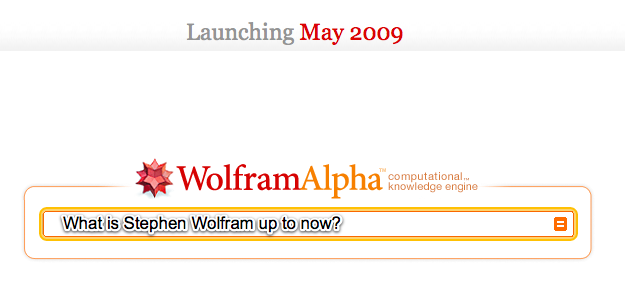
Another challenge to how we do search is Wolfram Alpha, created by Stephen Wolfram.
Wolfram Alpha writes: Today's Wolfram|Alpha is the first step in an ambitious, long-term project to make all systematic knowledge immediately computable by anyone. Wolfram|Alpha's long-term goal is to make all systematic knowledge immediately computable and accessible to everyone. Our goal is to build on the achievements of science and other systematizations of knowledge to provide a single source that can be relied on by everyone for definitive answers to factual queries.

Stephen Wolfram, creator, writes in his blog: "I realized there’s another way: explicitly implement methods and models, as algorithms, and explicitly curate all data so that it is immediately computable. [...] But, OK. Let’s say we succeed in creating a system that knows a lot, and can figure a lot out. How can we interact with it? [...] All one needs to be able to do is to take questions people ask in natural language, and represent them in a precise form that fits into the computations one can do. [...] I think it’s going to be pretty exciting. A new paradigm for using computers and the web. That almost gets us to what people thought computers would be able to do 50 years ago!"

My take on this is that Google will not go away easily. Both Bing & Wolfram Alpha have their unique search purposes that may fit the needs of specific mindset when doing search.

While we wait this out to see how these developments will affect our net lives, my next question is how these developments will change search engine optimization. Do you have any thoughts on this?

Saturday, May 30, 2009

Google Wave: A Wave of Mixed Reactions


Here's a list of links I've put together as reference to those who want to know more about Google Wave and how the websphere is reacting. 

I'm not shocked at the mixed reviews, as everyone is entitled to his own opinion. But I'm apalled at the wait-and-see attitude of a lot of people. This is not Microsoft or Apple saying, "Hey, I have a new product that I will sell to the world!" But rather, it's Google saying, "Hey, I have a great idea that will change the world, AND I WANT YOU TO HELP ME MAKE IT HAPPEN."

I still have doubts that Google's intentions are purely altruistic, but I believe this is the future and it's about to begin.

---------------------------------------------

Links from Google

Explanations & Reactions

Google Wave: The Next Big Thing


I couldn't sleep. Since I heard about it yesterday, I just couldn't get it off my mind.

Google revealed yesterday what I predict will be the next big thing that will change how the world communicates since the invention of e-mail. It's called Google Wave. 

Lars Rasumussen, one of the guys who developed Google Maps, talked about how the idea came about in the Google Wave Developer Preview at Google I/O 2009. This was Google's answer to a fundamental question they posed: What would email look like if it were invented today?

Mashable offers to explain what Google Wave is in a nutshell: Google Wave is a real-time communication platform. It combines aspects of email, instant messaging, wikis, web chat, social networking, and project management to build one elegant, in-browser communication client. You can bring a group of friends or business partners together to discuss how your day has been or share files.

In a few years, here's what I predict what will happen: No more e-mails. No more instant messenger. No more keeping of different versions of files in your computer folders. Much less face-to-face meetings. People working on documents or files together online real-time, even if they were miles apart or they were just beside you. Social network and blog discussions will look like everyone typing at the same time on the same computer screen. No more reply button to send a message, just type. Lots and lots of online collaboration happening real-time. It's mind blowing.

And it's here. It's not a concept. Google has a work-in-progress already running. But we need to wait until towards the end of this year to experience it. Not too far off.

Below is a screenshot of the Google Wave interface. Mind you, it runs on the browsers that we use today -- both on computers and mobile phones:


Can't wait to see it in action? Here's the demo from the developers conference: (It might take long to load. Everyone's on it.)


I'll write more about it in the next few days. Still trying to calm myself from too much excitement.

Thursday, May 28, 2009

Multiply 4.0 features detailed (with demo videos)


This is a repost from the Multiply blog. It details the new features found in the current beta, complete with demo videos:

-----------------------------------
Here's a bit of what you can expect to find in Multiply 4.0:
Redesigned Inbox  Multiply's Inbox has always been the best place to find out what the people you know are up to, but with this release, it's become even better. Here's a bit of what's inside:
PMs made clear  Personal Messages, by their very nature, are one of the most important types of posts that appear in your Inbox. That's why we've given them their own section: so you can quickly see when you have new ones.

Add/remove content type filters  In addition to Personal Messages, you have the option of adding filters for other content types. For instance, if you're a fan of Photos, add a dedicated Photos filter and never miss another album.

Favorite 'Friends & Family'  All the latest posts from a very important individual is just a click away. Which of your contacts are the most important is up to you; "Favorite" a contact to shortlist them, or "View All" to do just that.

Groups are great  Works just like Friends & Family, but for groups. Pick your favorites and never miss a post.

Flagging important posts  If you come across a outstanding Photo Album, thoughtful Blog entry or great Link, make sure to flag it, and come back whenever you want using...

Custom Filters  See all of your Flagged or Subscribed posts, things you've posted or replied to... or whatever combination of factors interests you. Save a Custom Filter and it becomes part of the left rail area.

Easy 'Include' Filtering  Greatly expand your social circle by enabling 'friends of friends' or 'group' posts... with a single click apiece.

Quick Notes  Notes are back, and sharing your thoughts via one is easier than ever. Click Post, start typing, press Enter... and you're done.


Improved Media Locker  We didn't forget to make the Media Locker better, too. Read on for ways we've done so.
Now in the top nav  We've given the Media Locker its own tab at the top of the page, so wherever you are on Multiply, you're just a quick click from the best media management tools on the Web.

Edit and retouch photos  Perfect for making good photos stored on Multiply great photos. Crop, rotate, remove red-eye and more from anything stored in your Media Locker, or shared on your Multiply site!

Latest shared photos and videos; projects
  Right at the forefront of the Media Locker you'll find all of your most recent stuff, including albums you've shared and projects you've recently started. Also included are helpful shop links pointing to our new photo product guides, as well as limited-time offers.

Select-by-dragging  If you're getting ready to work with a large number of photos, you can still click thumbnails one at a time to pick individual ones, or 'click-drag' to select a blog of thumbnails in a rectangular area.

Act-by-dragging, too  Once you have these selected, instead of clicking a toolbar button ("Album," "Email," etc.), why not try dragging and dropping. Same great effect, cool new motion.

Photo/video flagging  The same way you can 'Flag' interesting posts on your Inbox, you can do the same with individual photos and videos that you'd like to come back to, within your Media Locker.

Easy edits of recent things  Photo albums and print projects, alike, can be quickly edited with a single click to their title, as it appears in the left rail under "Albums" or "Projects."

Slide-to-resize thumbnails  In the upper-right corner of the Media Locker, you'll find a "Thumbnail Size" slider. This will, yes, change the size of the thumbnail images that appear... larger with better detail, and smaller with more efficient use of space.

Send photos via e-mail  Want to quickly share your photos outside of Multiply? Select your best and send them to anyone via e-mail using the handy "Email" button.


Other things
  While a good deal of Multiply's functionality now lives under either the Media Locker or Inbox, there are new things that don't quite belong to either category. We haven't forgotten about these miscellaneous marvels!
New look  It is everything a look should be: refined and great! You'll find it pretty much everywhere.

Simplified 'top nav'  We reduced the number of links and buttons that appear along the top of all pages on Multiply, in order to focus on the ones that are most important. 

Comprehensive "Multiply" menu  Clicking the Multiply logo now does something new. Give it a try!

Complete Shop overhaul  We've given our Shop section a complete overhaul. It features the same great products, with a sleek new look. It also works better than ever, and includes helpful gift guides that make giving great gifts a snap for any occasion.

Contact suggestion
  Now, when you connect with someone on Multiply, we'll give you the opportunity to help connect your new contact with some of your existing ones. All it takes is a click to suggest that your friend Bob, who already knows your friend Mary, become Multiply contacts as well.

Picasa plugin  If you use Picasa to organize photos on your Windows, Mac or Linux computer, posting photos to Multiply just got a lot easier. Install Multiply's Picasa pluginand share photos on your Multiply site from Picasa.

People You May Know  Based on the contacts you have, Multiply will recommend other individuals you're most likely to know, and would want to connect with.

Global search box  Three useful searches: people, content and groups, are available from one small box, located at the top of any page.

More Multiply Changes to Come


From the
Multiply Blog, below is a quick rundown of what more will be new in Multiply 4.0. These things I still haven't seen in my new Multiply interface:

Setup area - Now you have one area to visit if you ever need to make changes to your account settings, including your profile information, e-mail alerts, password changes, etc. Plus, when a new user accepts your invitation to join the site, they are sent directly through Setup to help them get started with Multiply and understand how to use the site. Click Setup at the top of any page to check it out.

Welcome page - We renamed the "Multiply" page to "Welcome." Now the page tells you even more about what's new on the site since your last visit.

Home Pages page - Now there's an easier way to get to other people's home pages, including all of your contacts and groups. Click on Home Pages at the top of any page.

Add multiple contacts at once - The Add Contact button on the Network page now has a dropdown feature so you can add one new contact or many at once. Now you can copy and paste an existing mailing list to spread the word to more people.

Move your Friendster network here - A few people told us they spent time building a big network on Friendster and would love to be able to import their network to Multiply. Now it's easy. Just use the Add Contact button on the Network page.

Easier way to sort the Messages page - Just click one of the content icons in the left margin when you want the Messages page to display only photo albums or any other specific content type. Your selections are always clearly highlighted in the left margin.

Help your new contacts find people they know - When someone accepts your invitation to join Multiply, the best thing to do is show them who else they know on the site. Now it's easy with the Help Connect feature on the Network page. Just select your newest contact, and choose the people who should be notified that this person is now on Multiply.

The home page is more customizable - They've added a title that always appears at the top of your home page. The default title is your name and the web address (URL) for your page. Look for the Change Page Titles link in the right margin of your home page to customize the title of your overall site, and all your individual pages.

Multiply Gets a Make-over: It's about time


A warm welcome to the new look of Multiply! It's about time. When everybody's a gaga with Facebook and Twitter, you'd suspect that Multiply had to step up to the plate else face eventual oblivion. Even Friendster is continually trying to update itself to the times. But are the changes really for the better?

My first hunch that something new was happening with Multiply was when I couldn't update my profile photo on my Multiply site, as if my site's settings had frozen. Then Nico told me that they were releasing the new Multiply make-over yesterday. Then last night, it happened.

First impression: Multiply has done wonders making it's Inbox -- the first page you always visit when you open Multiply -- more relevant with functionality. Here's what it looks like now:

Most noticeable are the quick access tabs on top to your Inbox, Media Locker and personal site; and the left sidebar which reminds you of Facebook's filters and works much the same way. 

With this "homepage", you don't have to reload as much to navigate within the site. A quick click on Groups displays your groups list in the view pane without leaving this page:

There seems to be a lot more control over what you see in your inbox: from the customization of filters, to tickbox toggles to either view or hide 'friends of friends' activity, and 'favorite' tickboxes among your friends and groups.

The Media Locker benefits a lot also from this make-over. My initial impression was that these changes gave more meaning to the Media Locker. It looks so simple now to view and work on your content. The Media Locker view also has similar filters on the left pane to find what you want:

But for me, the most telling change is the Quick Note function which seems to be a response to Twitter and Facebook's "What's on your Mind?" status function:


I've always regarded Multiply more as a blog tool with social networking strengths. I thought it was good at what it can do and will continue to carve this niche in the online world. But, this just show that Multiply seems to be serious about going head-to-head with Facebook. Does it succeed in reinforcing itself as a social network? Too early to tell, for me at least.

As I leave you with the note that flashes onscreen the first time you log onto the new Multiply, I'd like to hear from you your first impressions of it. Comment away. :)

-----------------------------------------------------------
Dear Members, 

By this point, you've certainly noticed that things are looking a little different around Multiply. But there's more to what's new here than a fresh coat of paint. As you begin doing the things you normally do around Multiply, you'll discover what makes this the best Multiply release, ever. If you're curious about precisely what's new, take a moment to learn more about the 
new Multiply Inbox, or read about improvements to the Media Locker.

None of the improvements you see around you would be possible without the Multiply team; I could not be more proud of the effort that's been put into this release. And on behalf of all of us, I'd like to thank 
you for using Multiply.

We made all of this for you, and we're as proud to present to you Multiply's new look, feel and features today, as we've been to help you share your lives with the people closest to you for over five years now. 


Enjoy everything,

Peter Pezaris
Founder & CEO

Wednesday, May 27, 2009

HP Power to Change: Turn off your computers when you leave the office


Hewlett-Packard launches a new global campaign called Power to Change which encourages everyone to do one simple thing everyday: turn off your computer after your work day. I'm guilty of this. But they offer alarming statistics: aroun 65% of computer users do not turn off their computers after they leave work. And turning off only 100,000 more computers everyday is equivalent to the CO2 emissions saved by taking 10 cars off the road everyday. 

Here's the YouTube video of the campaign:


Leo Burnett / Arc Singapore writes about the campaign:

Please help us to make a difference!
We are aiming to have over 1 million visitors from around the world - and we really need your help to do 4 simple things:

1. Visit the website www.hp.com/powertochange

2. Download the widget. This will monitor how often you are turning off your computer, as well as the environmental impact of your (and everyone else's) actions.

3. Invite others to join your efforts. Spread the word!

4. And, most of all, turn off your computer at the end of every day.

About the campaign
The campaign launches this week across Asia. It launches in EMEA and North & South America in the first week of June with paid media support, on and off-line.  The campaign spans 5 languages (English, Simplified Chinese, and will shortly be translated into Japanese, Spanish and Portuguese). It includes the following elements: blogger outreach, viral video development and seeding, social media (across 8 platforms), display media, search, press kit, press, posters, stickers and an internal launch program to HP's employees around the world.

Makes you think right? Shall we join forces and start turning off our computers everyday? I'd like to hear about your thoughts.


NuffNang Breaks

Spread the word!